[ SIGNAL ACQUIRED ]
Every signal, logged. Every catch, shared.
Live shortwave from KiwiSDR receivers around the world. Record what you find, keep it in your logbook, and turn it into a reception report worth sharing.
[ SIGNAL ACQUIRED ]
Live shortwave from KiwiSDR receivers around the world. Record what you find, keep it in your logbook, and turn it into a reception report worth sharing.
[ LISTEN ]
Skip, drag, or type. Switch modes in a tap, watch a live S-meter, and let the signal registry name known stations as you land on them.
[ 01 · RECORD ]
Press and hold the waveform to start recording, anything from a news broadcast to a rare numbers station. Press the capsule to stop.
[ 02 · SAVE ]
The captured audio lands in your logbook with its waveform, S-meter reading, receiver node, and UTC timestamp.
[ RECORD ]
[ 01 · RECORD ]
Press and hold the waveform to start recording, anything from a news broadcast to a rare numbers station. Press the capsule to stop.
[ 02 · SAVE ]
The captured audio lands in your logbook with its waveform, S-meter reading, receiver node, and UTC timestamp.
[ TIME MACHINE ]
Heard an interesting signal and didn't press record in time? The app is always holding the last three minutes of received audio. Press record, drag the left edge of the tape back into time you already heard, trim, and save. Every clip is stamped with the frequency, mode, and receiver that were truly on the air while it played, even when the receiver or mode switches mid-listen.
[ SPECTRUM WATERFALL ]
View a live spectrum waterfall straight from the node's FFT, painting ninety seconds of band history in the classic KiwiSDR palette.
VIEW: SPECTRUM WATERFALL
Spot a strong signal instantly by color, before you even tune in.
Tap the four-dot matrix in the lower-right corner to open the Operator Console, then switch on the spectrum waterfall view in the VIEW row.
Tap anywhere on the
waterfall and the dial jumps straight to that frequency.
Drag the
dial to fine-tune.
Press and hold the spectrum trace to record. Tap to stop, swipe up to save to the logbook, or swipe down to reject.
[ TEXT DECODE ]
Flip on the decoder and watch CW, RTTY, FT8, and NAVTEX print as readable text, live off the air, decoded entirely on your phone. When a CW or RTTY signal sinks toward the noise, a second decode layer listens longer. It weighs whole seconds of audio at once and recovers text an ordinary decoder loses. And a dead frequency prints nothing at all. No signal means no text.
Baudot resolved in real time. DWD Pinneberg's marine weather printing under the dial, live at 50 baud. Dial the listed frequency and the tuner drops the mark/space pair right where the decoder listens.
Morse resolved in real time: a live Dutch QSO between two hams comparing radio gear, printing as readable text straight off the dial.
FT8 decoded in 15-second slots: callsigns, grid squares, and signal reports pulled straight from the digital sub-band, all on your phone.
Maritime safety traffic, printed as it arrives. Coast stations broadcast navigation warnings, weather, and search and rescue on 518 kHz, and tuning one of those frequencies switches the mode for you. Each bulletin arrives tagged with the station that sent it, its subject, and its serial number.
Press LOG for the full unfiltered transcript, then save it to the logbook with one tap. Tap SAVE again to update the saved log. Shown here: an RTTY extract, but LOG works the same for CW, FT8, and NAVTEX.
[ TUNED ON REAL OFF-AIR SIGNALS, NOT LAB TONES ]
[ OVER 2× THE TEXT PULLED FROM WEAK SIGNALS ]
[ ZERO FALSE PRINT ON DEAD AIR ]
[ READ HOW WE TEST → ][ MORE TEXT MODES IN DEVELOPMENT ]
[ IMAGE DECODE ]
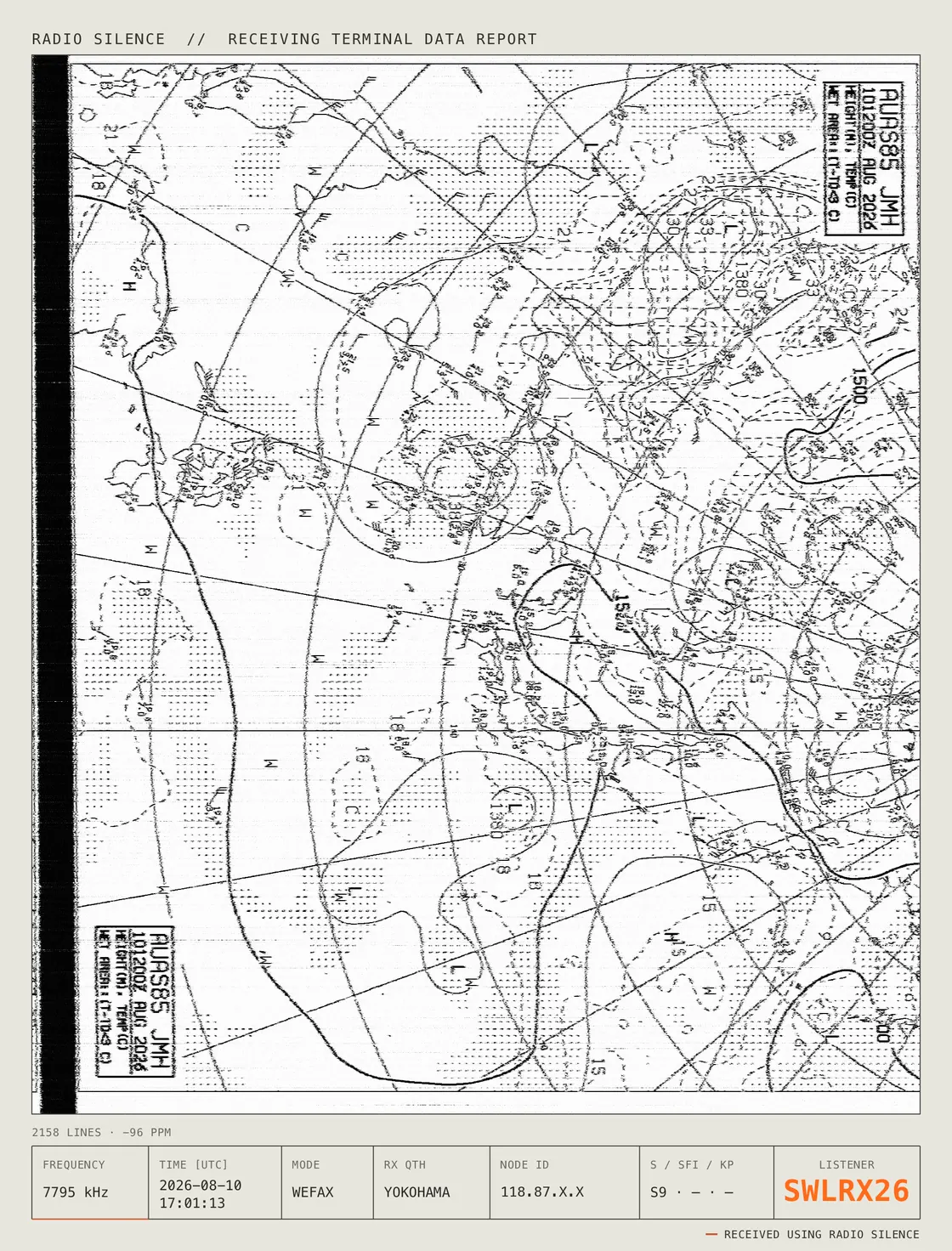
Tune into a weather fax station and the app automatically decodes the broadcasted audio tones into a weather fax chart line by line. The app references schedules published by the weather fax stations so the app can name and count down to the next broadcast.
Tuned to JMH Tokyo on 7795 kHz. The app listens to and decodes the broadcasted audio tones in real time.
[ PUBLISHED SCHEDULES FOR 7 STATIONS, 469 CHARTS ]
[ A CHART ONLY STARTS ON A HEARD START TONE ]
[ SSTV IN DEVELOPMENT ]
[ NETWORK ]
Radio Silence streams from volunteer-run KiwiSDR receivers around the planet. Watch nodes report in live with signal strength, load, and online status as you move your ears from Iceland to the Chatham Islands in one tap. Add any unlisted or private KiwiSDR by address and it pins to the top of the list of nodes.
Switch to a different receiver and the dial doesn't move. Your frequency stays locked while the location changes, so you can compare how the same signal travels to two different corners of the planet without retuning a thing.

[ POCKET ]
Lock the phone, drop it in your pocket, and the band keeps coming: on the walk, at the sink, on the way to sleep.
[ 01 · CARRY ]
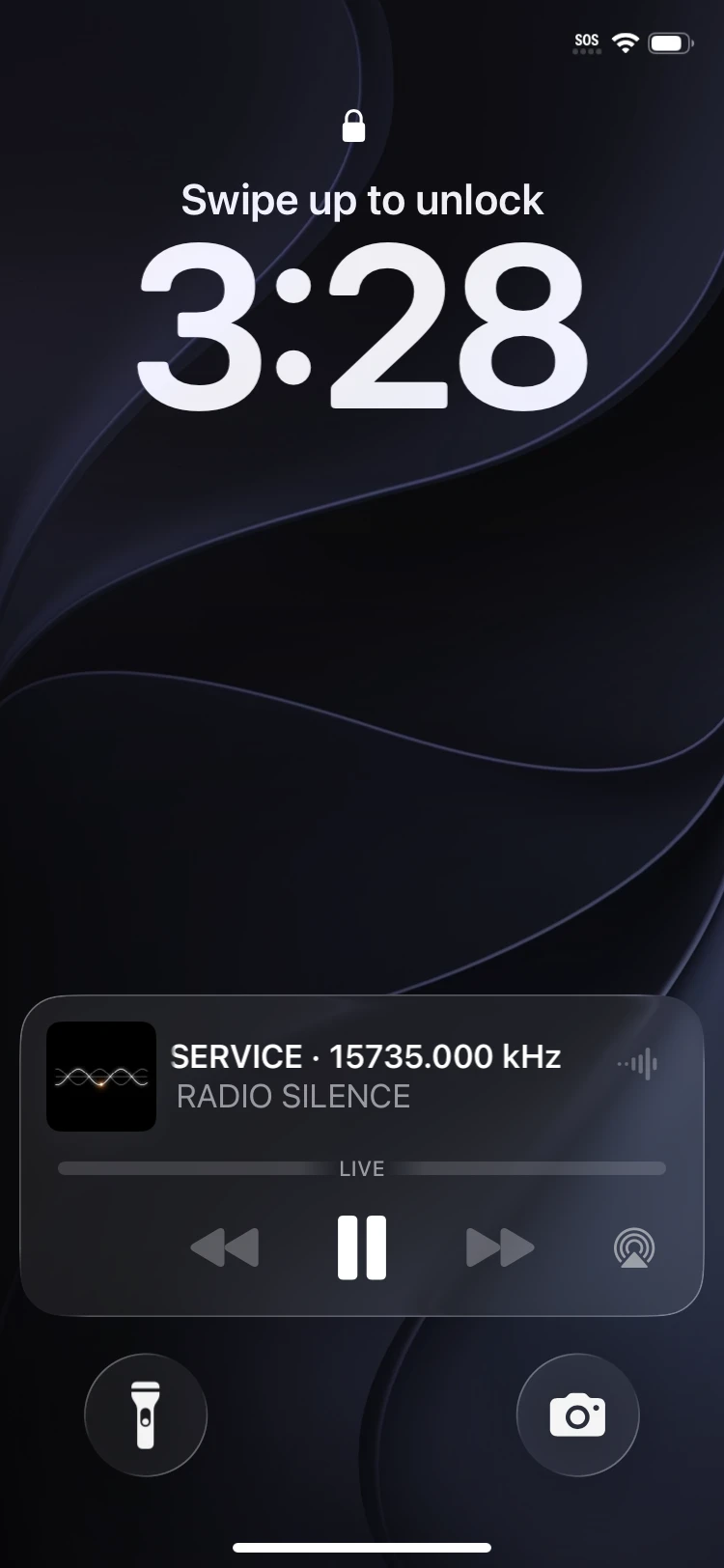
Lock the screen and pocket the phone. The audio rides the lock screen, with playback controls right where you expect them.
[ 02 · SLEEP ]
Set the sleep timer and drift off to the shortwave. The audio fades itself out on schedule, so you don't wake to a dead band at 4 a.m.
[ 03 · RELEASE ]
Walk away and forget? A soft signal sounds first. Open the app or tap the lock-screen controls to stay tuned. Ignore it, and the app quietly hands the receiver back.
[ SHARED HARDWARE ]
The receivers are volunteer gear, a handful of listener slots each, run by people who opened them to the world. Radio Silence releases yours when you step away, so the next listener finds the door open. Streaming uses about 22 MB of data an hour. Considerate by default.

[ LOGBOOK ]
Every capture is saved automatically, tagged with its frequency, node, signal strength, timestamp, and date. Playback audio and scrub the waveform to hear exactly what you caught. Search your whole history by keyword, station, or band. Sort your logbook alphabetically, by date, frequency, signal strength, or mode.
[ SHARE ]
Every catch in your logbook is shareable as a Reception Report: a clean data card with the frequency, node, waveform, and the space weather that carried the signal. Catch a rare signal and the app generates a Rare Intercept Card with its own rarity score. Export each card as a PNG or an MP4 that carries your actual recorded audio. Then share it with others or post it online.
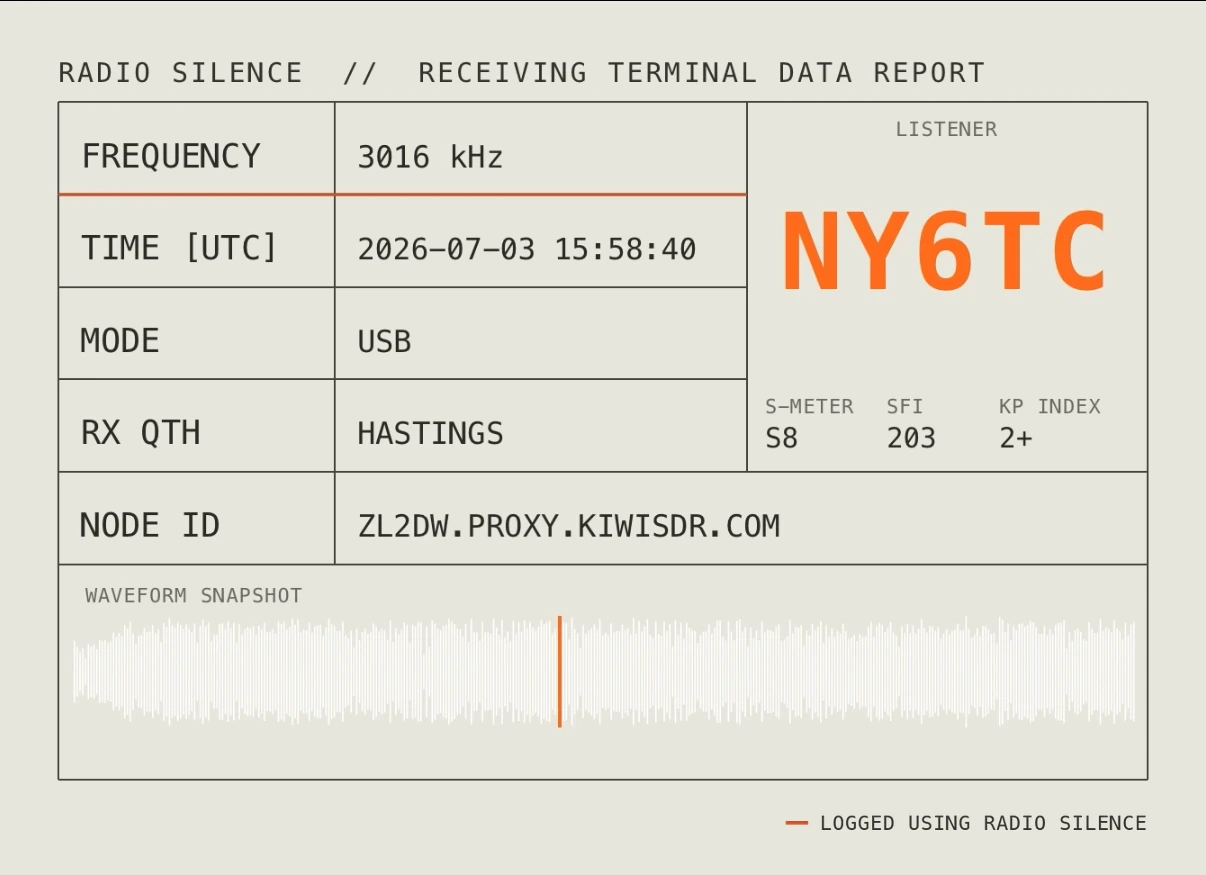
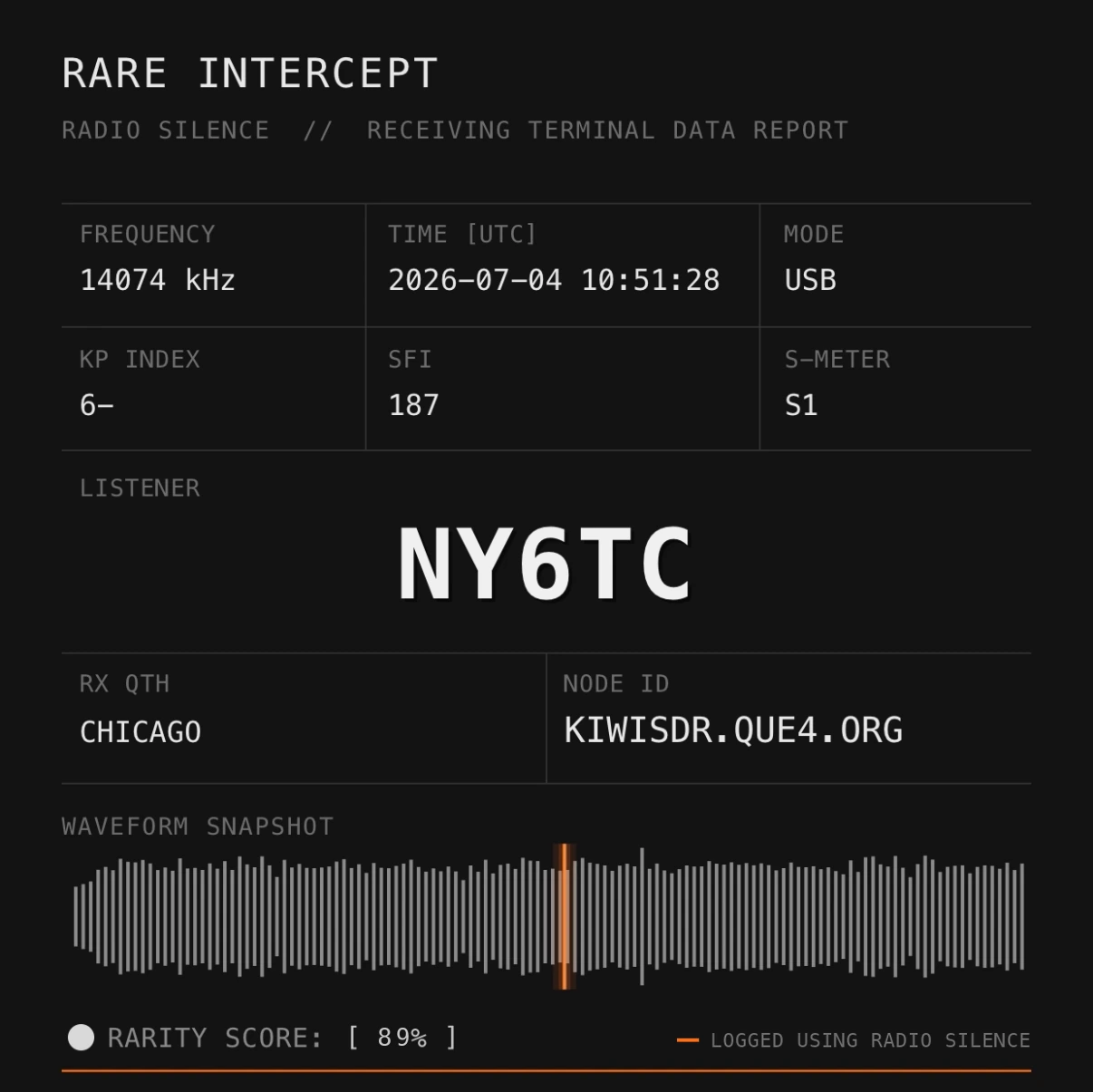
[ NY6TC IS A FICTIONAL CALLSIGN, SHOWN FOR ILLUSTRATION ONLY ]
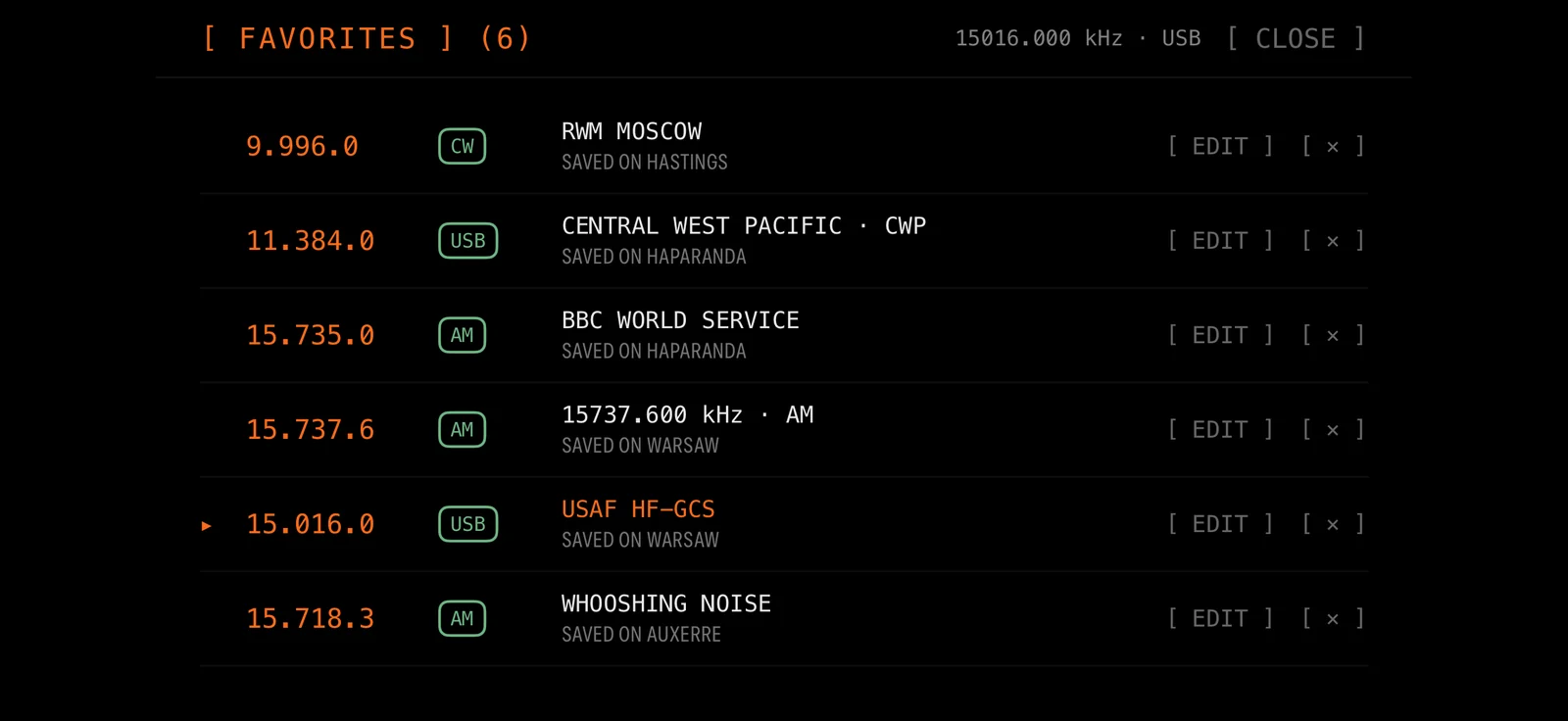
[ FAVORITES ]
Save a station with its own label and mode. One tap re-tunes the dial, and the app quietly picks the best live receiver to hear it on.
[ WE DON'T LISTEN BACK ]
We built a listening app that doesn't listen to you.
[ STANDING BY ]
REQUIRES iOS 17+ · TESTFLIGHT BUILD · FREE DURING BETA
[ SEND FEEDBACK ]
Found a bug, or have an idea? Tell us: every report gets read.
radiosilencedev@gmail.com


